Beacon technology burst into the market in 2013 and has grown in popularity since then. Many people and companies opt for this technology to initiate smart projects. But what should we know about Bluetooth beacons?
1. What is a beacon?
A beacon is a device based on Bluetooth Low Energy (BLE) that constantly broadcasts a unique signal. This signal can be received and read by other devices, such as smartphones and tablets, when they pass by. The receiving device must have Bluetooth enabled and a specific app to recognize the signal.
To make an analogy, a beacon is like a lighthouse on the coastline, emitting a light signal for sailors to interpret.

2. How does a beacon work?
Beacons are passive elements; they emit only a unique identifier that needs to be interpreted to find what’s behind it. The function of a beacon is to awaken other devices that are “listening” and have a specific app installed to recognize the signal they broadcast. When this happens, it triggers an action in the app.

3. Where can we use beacons?
Applications of Bluetooth beacons are infinite, but some use cases have become the most common:
- Indoor tracking: In workplaces, for example, beacons are perfect for knowing when workers enter and leave or where refinery operators are during emergencies. They also allow for quicker inventories or monitoring the inputs and outputs of materials.
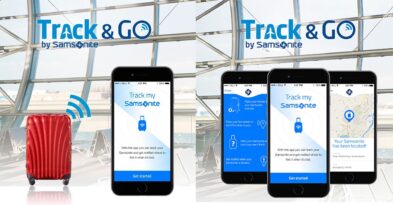
- Asset tracking: Beacons can tell us where our belongings and objects are at all times, providing a solution to never lose our luggage or keys, for example.
- Retail: Beacons can help create a better user experience in shopping centers or attract customers by sending information about new products or discounts. Additionally, sellers can generate a heat map to understand customer behavior using beacon data.
4. What do we need to make a beacon work?
First, it needs to be configured. There are different applications to do this, but we recommend iBKS Config Tool (perfect for starting with our iBKS beacons). When the app locates the device, it allows us to modify each parameter as needed, such as interval, power, or the URL emitted. Once configured, we place it in the desired location and wait for the signal to be received.
There are different protocols for effective communication between devices:

5. Can I use beacons without an app?
Yes, thanks to Physical Web and Nearby Notifications, two solutions from the Eddystone Protocol. To activate these options, it is necessary:

6. What devices are compatible with beacons?
All smartphones or tablets with Bluetooth version 4.0 or higher are compatible with beacons. Other receiving devices, called gateways, detect beacons that have entered an established perimeter and send the information they receive from their signal to the cloud via WiFi, Ethernet, or USB port.
7. How long does the battery last on a beacon?
Beacons require a power source to operate. They usually incorporate a small button battery, and its duration depends on the internal configuration of each device.
If, for example, the signal interval is very frequent (every second), the battery life will be between 2 and 8 years (depending on the beacon and its configuration). If the signal is emitted sporadically, the battery life will be much longer (it can last more than 10 years). Furthermore, there are beacons with USB, and our iBKS beacons have removable batteries; you can consult our iBKS beacons and their battery life.

8. Is it safe to use a beacon?
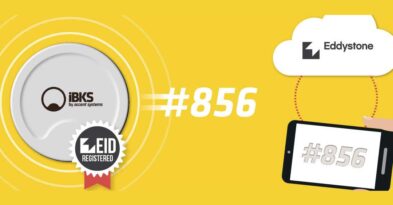
Beacons are constantly emitting a signal, regardless of who receives it. They work with a unique and public ID, which may pose a risk since our data can be read by malicious third parties (our competitors, for example). In 2016, this problem was solved thanks to the Ephemeral ID of Google Eddystone Protocol: